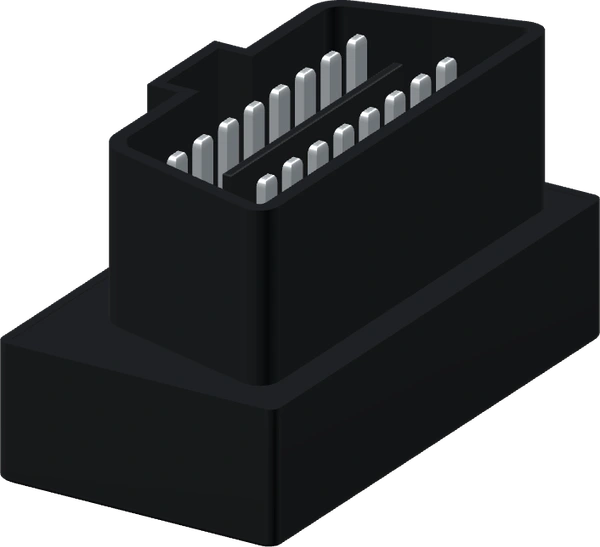
Connect your adapter
Plug a compatible OBD adapter into your car, then select it in the app.
See engine readings, track maintenance and follow your trips in one place.
For Android phones and compatible in-car displays
Your request includes the plan duration, amount, payment method, account name, device ID and transfer receipt.
We’ll activate your subscription as soon as possible. Your account will be ready to use automatically once activated.
Use your phone to read vehicle data, check for faults and keep track of maintenance.
Pick a tool on the phone. Log a refill, scan fault codes or set a service reminder and see the result inside the tool.
Pair your phone with a compatible OBD-II adapter to read data wirelessly.
Choose a sensor and adjust its reading on the phone. You can try the alerts without connecting to a car.
The app alerts you when engine speed or temperature exceeds the configured limit.
Change the reading to trigger an alert, then bring it back into range.
The preview switches to landscape so you can explore all ten instrument layouts.
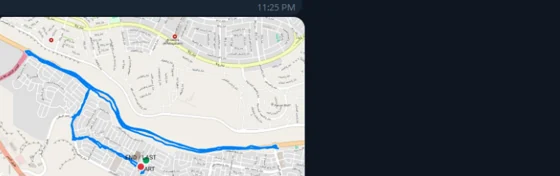
When you switch off the engine, the CarMate assistant sends a trip summary to Telegram. You can read it without keeping the app open.
See where the trip started and ended, along with its estimated cost in Egyptian pounds based on fuel use.
Select fuel, sensors, location or vehicle status on the phone to try the assistant.
Start with a free trial of all features, then choose the plan that suits you.
Try the diagnostic tools and advanced features with no upfront payment.
Pay by mobile wallet, InstaPay or bank transfer.
CarMate supports a wide range of vehicles that use the standard OBD-II protocol.














































































Plug a compatible OBD adapter into your car, then select it in the app.
Choose sensors, a gauge style and a card layout, then set the alerts you need.
View live readings, scan fault codes, track service and licence dates, and review trips with the assistant.
Available readings depend on your vehicle’s control unit and OBD adapter. An unsupported reading is unavailable. It does not indicate a value of zero.
Clearing a stored code can switch off the warning light if the vehicle supports it. The underlying mechanical or electrical fault still needs diagnosis and repair.
It opens the companion app you select for your external TPMS sensors. That app manages the pressure and temperature readings, alerts and calibration.
The tool reminds you about expiry and inspection dates at the time you choose. Complete the renewal through the relevant licensing authority.
CarMate is currently available for compatible Android phones and in-car displays.
 Your vehicle data in one place
CarMate for Android
Live readings require a compatible vehicle and an OBD adapter that supports its diagnostic protocol.